Heroes
- Heroes now get the special ring effects (Paralysis, Protection, Revival, Muscle and Clear). Teleport Ring and Probe Necklace are excluded.
- Flame and Recovery rings let heroes cast FireBall and Healing (still needs a hero key). Non-Taoist heroes now heal allies, and non-Wizard heroes use FireBall only as a last resort.
- Fixed ghost heroes left on other players’ screens after a hero Run, Slashing Burst, Shadow Combo or Divine Sword.
- Heroes keep their Magic Shield / Elemental Barrier visual after teleporting.
- The hero skill window now translates spell names when Auto Translate is on.
Skills
- Dark Body with no target now casts normally (with cooldown) and places the clone on the cell you aimed at.
- Vampire, Cripple and Napalm Shot only fall back to a plain arrow when you have no rune. With a rune, a miss still uses the rune and goes on cooldown.
- Napalm Shot’s projectile now lands and bursts on the aimed cell even with no target (not through walls).
- Flame and Recovery ring spells now appear straight away instead of only after relogging, and reading a spell book for one makes it permanent.
- Spell tooltips (name, MP, cooldown, key) now show in the magic window and the key assignment panel.
Storage and items
- Locked expanded storage shows its items dimmed. Items can be taken out, but nothing can be put in.
- When expanded storage expires, items on page 2 move into free slots on page 1. Any overflow can still be taken out.
- Mount accessory stats now apply whether or not you’re riding.
- Mounts now play running footsteps while running, instead of walking steps.
Interface
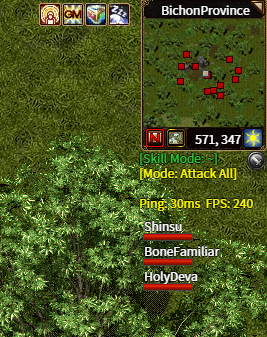
- New group HP panel under the minimap, with a bar per group member. Hero and pet rows are optional (settings, off by default). Hovering a row targets that member for spells.
- New chat IME (Input Method Editor) tag showing the input mode (中/英, 한/A, あ/A), as an option in game settings.
- Fixed Alt+Enter out of fullscreen sometimes leaving Windows on the wrong display mode. Toggles are now spaced 2 seconds apart.
- Ticked checkboxes in Settings keep their box outline.
- Stats pages now have grey captions for Leech, Damage Dealt and Damage Taken.
- Replying to a translated whisper now uses the sender’s correct name.
- Message boxes wrap long text with even margins instead of clipping.
- The Baby Snowman’s coin jingle plays when it picks something up, not on every sparkle.
- Running along walls no longer picks a sideways path that is blocked partway
- Cleaned up many aspects of the UI and HUD (no more holes in the HUD and upgraded lossless format)
- Fps / Ping display now defaults to off, but can be enabled by @debug or setting ShowFPS=True in Mir2Config.ini
Web client
- The web client now clears cached libraries that the server has updated, so a re-uploaded library can’t mix old and new data.
- Web sounds now fall back to the extra sound list the same way the desktop client does.
Performance
- Fixed a client slowdown that grew with time in game
Graphics
- Client resampling is now mostly complete (graphics are crisper across the game)