Here are a series of best practices and fixes/workarounds for known issues when using the latest OpenGL client from 2025.
Issue #1
Missing Runtimes / Out of date drivers
C++
https://aka.ms/vs/17/release/vc_redist.x64.exe
.Net 9 (x64)
https://dotnet.microsoft.com/en-us/download/dotnet/thank-you/runtime-9.0.11-windows-x64-installer
.Net 9 (x86)
https://dotnet.microsoft.com/en-us/download/dotnet/thank-you/sdk-9.0.307-windows-x86-installer
Update your graphics drivers (particularly important if you are using an Intel based system)
Issue #2
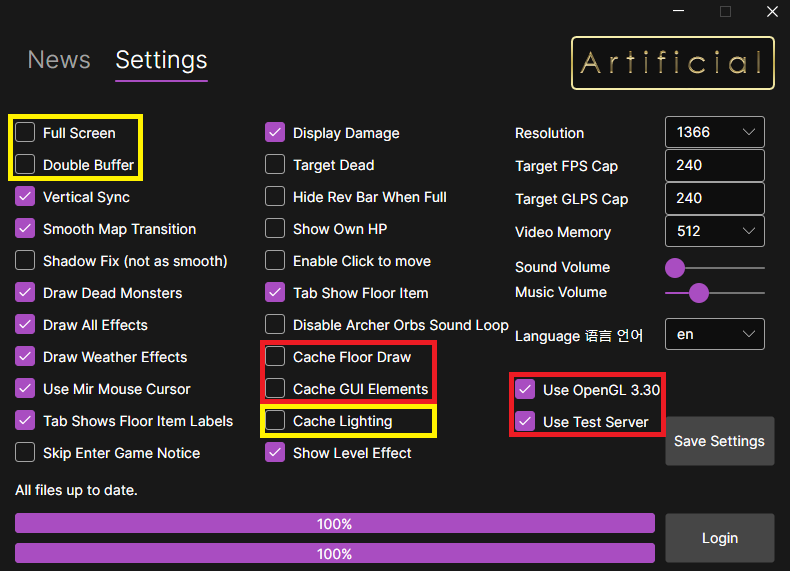
Settings for Intel GPU:
Best settings in launcher for safety (if having issues – particularly with Intel GPUs)
Issue #3
Dual GPU systems can have issues, this is quite common in recent laptops and some desktops. Assigning the primary GPU (high performance) in Windows Settings for Mir will resolve this:
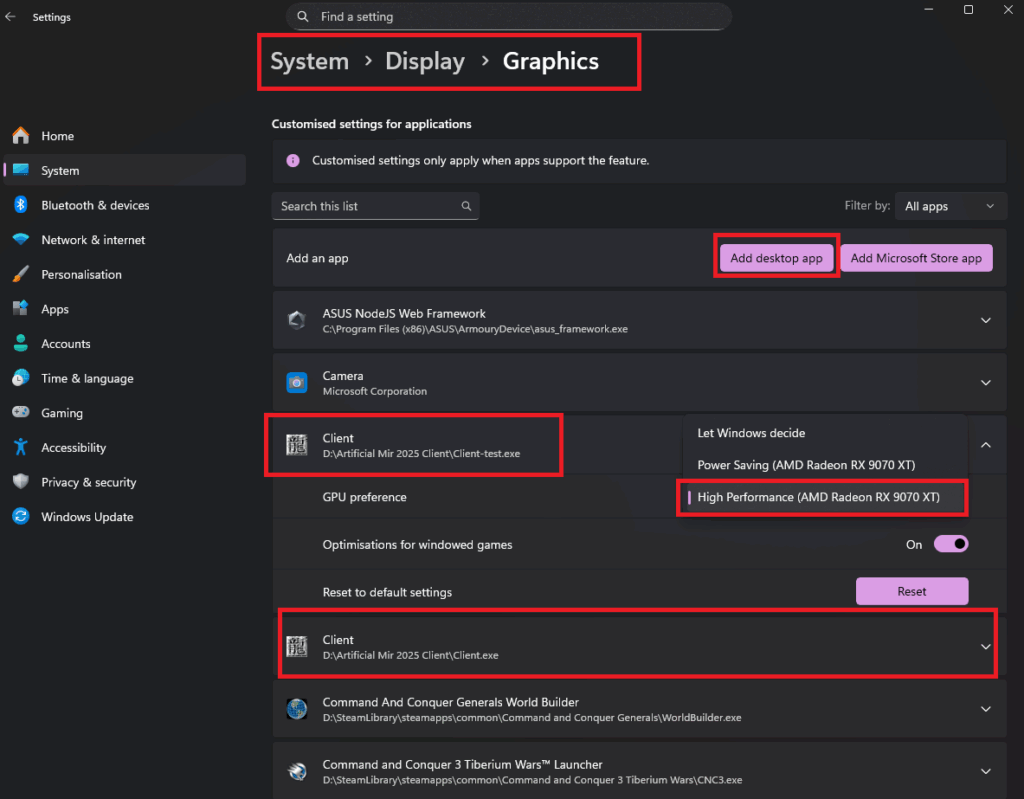
(Typing ‘Graphics’ in the Windows Settings Search Bar at the top of Settings page should take you here)